Why should I use the Mobile App?
Using the mobile app or interactive web version (desktop planner) will allow you to easily access event sessions, speakers, exhibitors, and organizer messages. When logged in using your registration reference number and your last name, you can personalize your schedule, take notes, share contacts, and more.
Can I use the app from 2023 or 2024?
No. A new app is released each year. You may see other SBL/AAR apps in the app store, please download the current year version.
How do I access the mobile app?
The Annual Meeting Mobile App is available for both Android and iOS devices. Access the 2025 app by searching AAR SBL in the App Store (for Apple users) Google Play (for Android users). Find AAR & SBL 2025 Annual Meetings and download it or use the desktop planner.
Can someone at the Annual Meeting help me navigate the app?
Yes! We have a mobile app help desk that is staffed for the entire Annual Meeting. We will be located in the registration area at Hynes Convention Center. Visit us for any of your mobile app needs.
What should I do after I download the app?
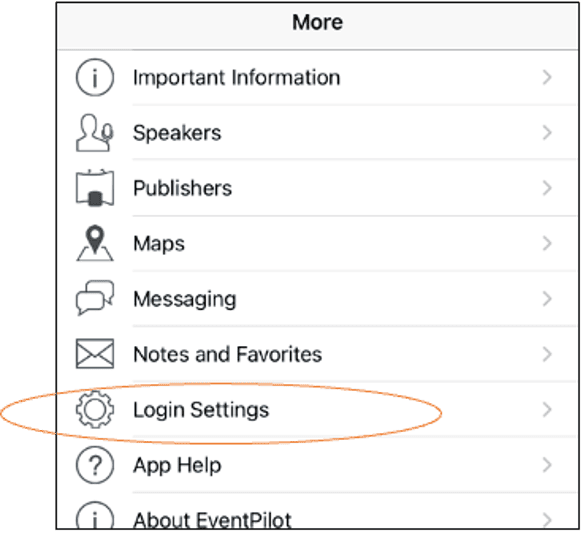
Open the app and navigate to the app login page by clicking “more” on the bottom right of the screen, then select, “Login Settings.” Then, enter your registration reference number and the last name with which you registered.
How do I find my registration reference number?
Your registration reference number can be found in your in your registration confirmation email.
You can also view it by logging into your AAR member account. Once logged in click on “My Account” , then select “My Registrations” from the menu on the left side of the page. Your upcoming registrations will appear at the top of the page. Click the “View” button to find your 2025 Annual Meeting registration reference number.
What is the best way to navigate the mobile app?
You can see a menu of options on the tab at the bottom of the app screen.

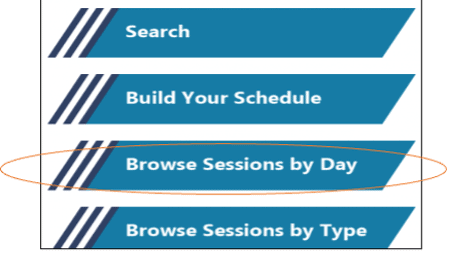
You can search for sessions by tapping “Search” and typing keywords, names, or session ID’s into the search bar. The best way to peruse the program is by going to “Browse Sessions by Day” on the home screen.
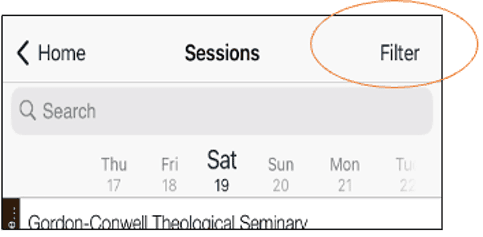
You can scroll through all the sessions each day by selecting the date located under the search bar. Use the filter option to further sort each day’s sessions.
I don’t understand the session page…
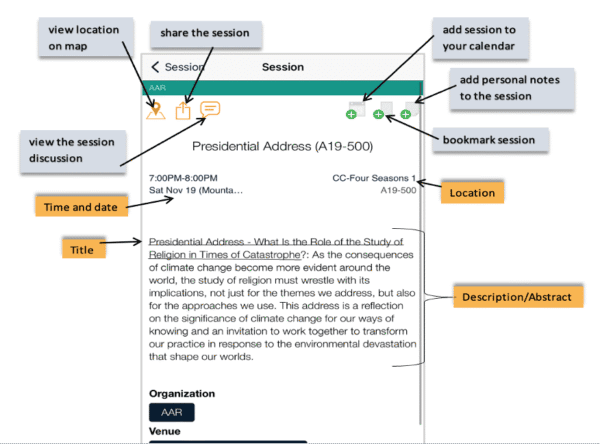
To view details of sessions, tap the session. On the session page you can see all the information including abstracts, any full papers or handouts for the session (if the session opted to do this), participants, and locations. Below is an example of a session page.
How often should I update the app?
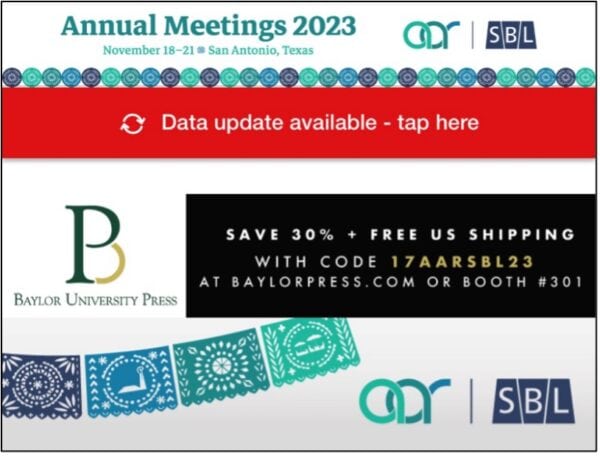
After logging into the mobile app with your information, you should check that the content on your app is most up-to-date. The SBL/AAR teams refresh the mobile content regularly, so our members have the timeliest information. To ensure that your app has the most current content, look for a Data Update Available bar at the top of your home page, and once the download passes 100%, tap the bar to update your app content each time the bar appears.